
In the daily administration of Windows Servers - especially Domain Controllers - a seemingly small but potentially critical issue keeps occurring:
After a restart, the system does not land in the domain profile, but in the public or private network profile.
Why is this problematic?
The wrong network profile often leads to unexpected limitations:
- Firewall rules are not working as expected
- Services are blocked for security reasons
- Group policies are not being applied correctly
- Remote access or applications are functioning with limitations
Practice Solution:
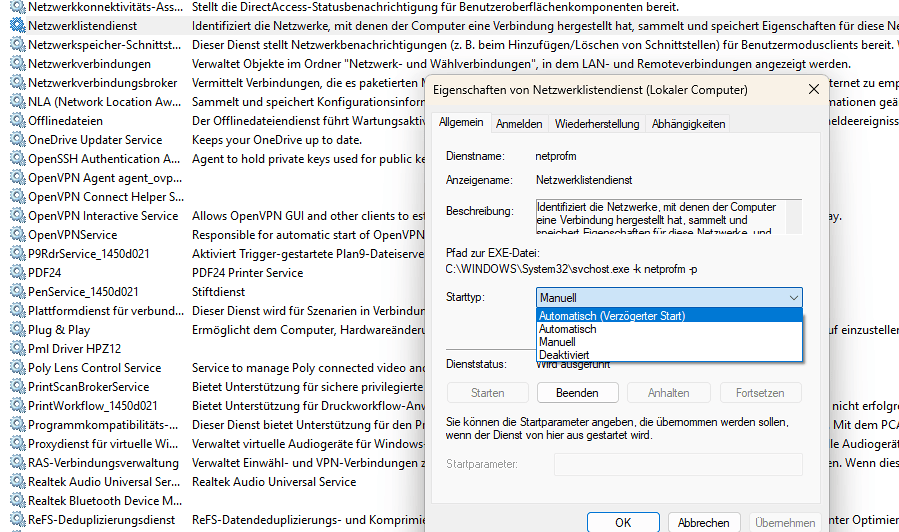
Set the Network Location Awareness (NlaSvc) and Network List Service (netprofm) services to 'Automatic (Delayed Start).'
This ensures that AD services are already available before NLA sets the profile - without adapter restarts or script workarounds.
Small change, big impact - especially after maintenance windows.